IndiaMART Integration
Connect your IndiaMART account with Pravyon to automatically import inquiries and manage leads inside CRM.
What happens after integration?
- Automatically import IndiaMART inquiries
- Create leads directly inside CRM
- Automatically synchronize new inquiries from IndiaMART
- Auto assign leads to employees
- Send WhatsApp acknowledgement messages
Open IndiaMART Integration
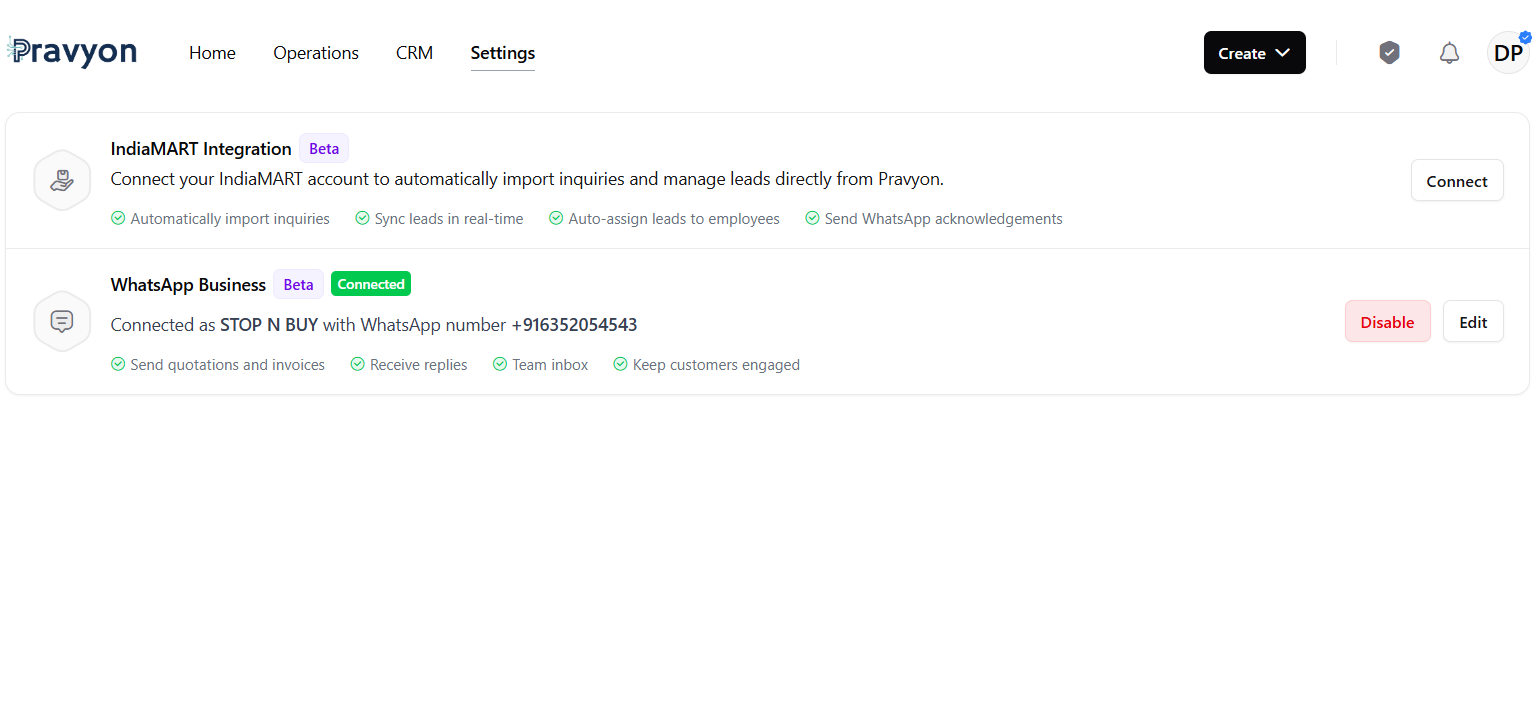
Go to Settings page and click on Connect button.
IndiaMART Configuration Form
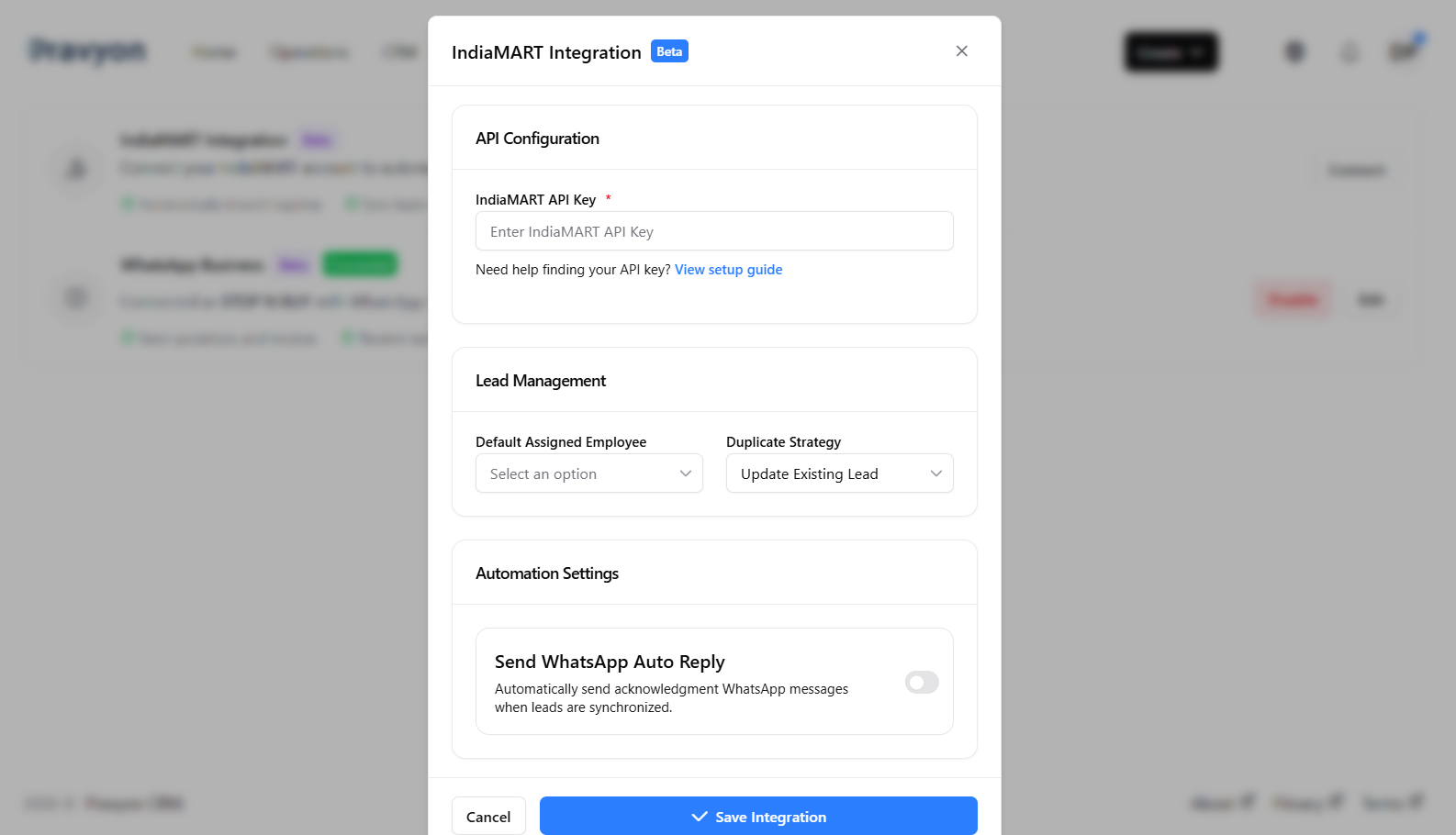
IndiaMART API Key
Enter your IndiaMART API Key to connect your account with Pravyon.
Need help finding API key?
View IndiaMART Setup GuideDefault Assigned Employee
Automatically assign imported inquiries to the selected employee.
Duplicate Strategy
Decide how duplicate inquiries should be handled.
- Update Existing Lead: Existing lead will be updated.
- Create New Lead: A new lead will be created.
- Ignore: Duplicate inquiry will be skipped.
Send WhatsApp Auto Reply
Automatically send WhatsApp acknowledgement messages when new inquiries are received from IndiaMART.
Connected Integration
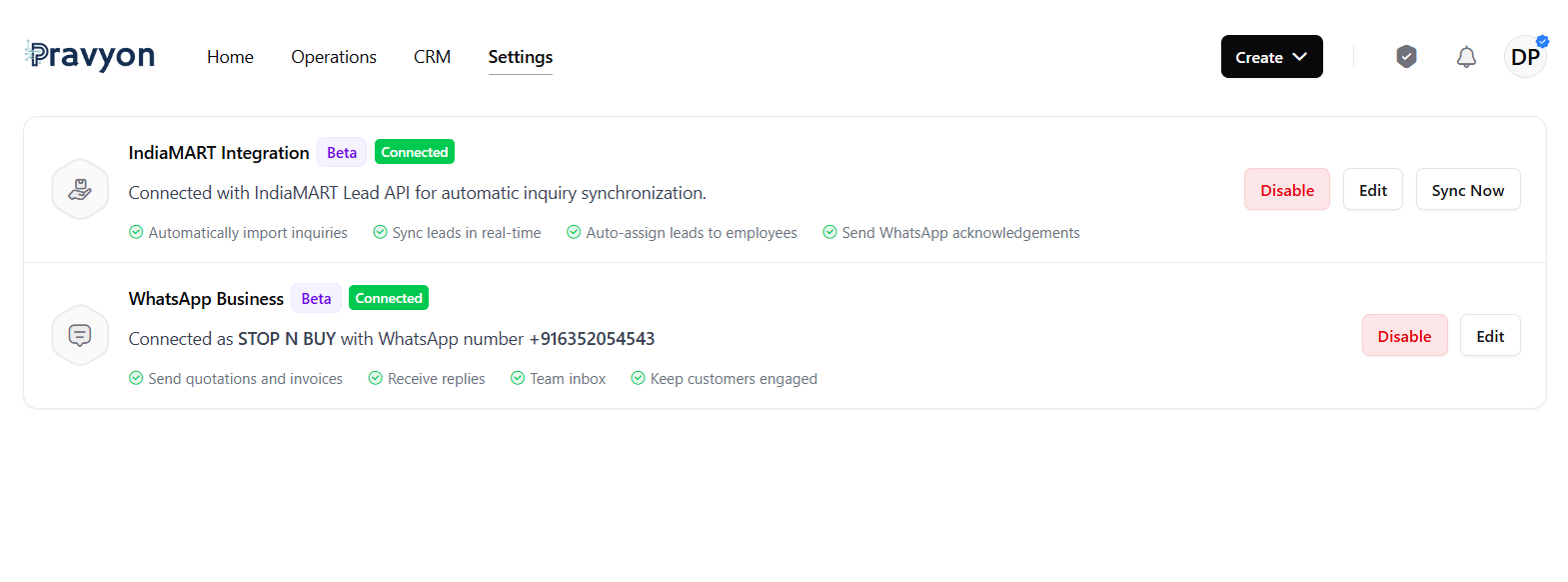
Once connected, IndiaMART integration status will show as Connected.
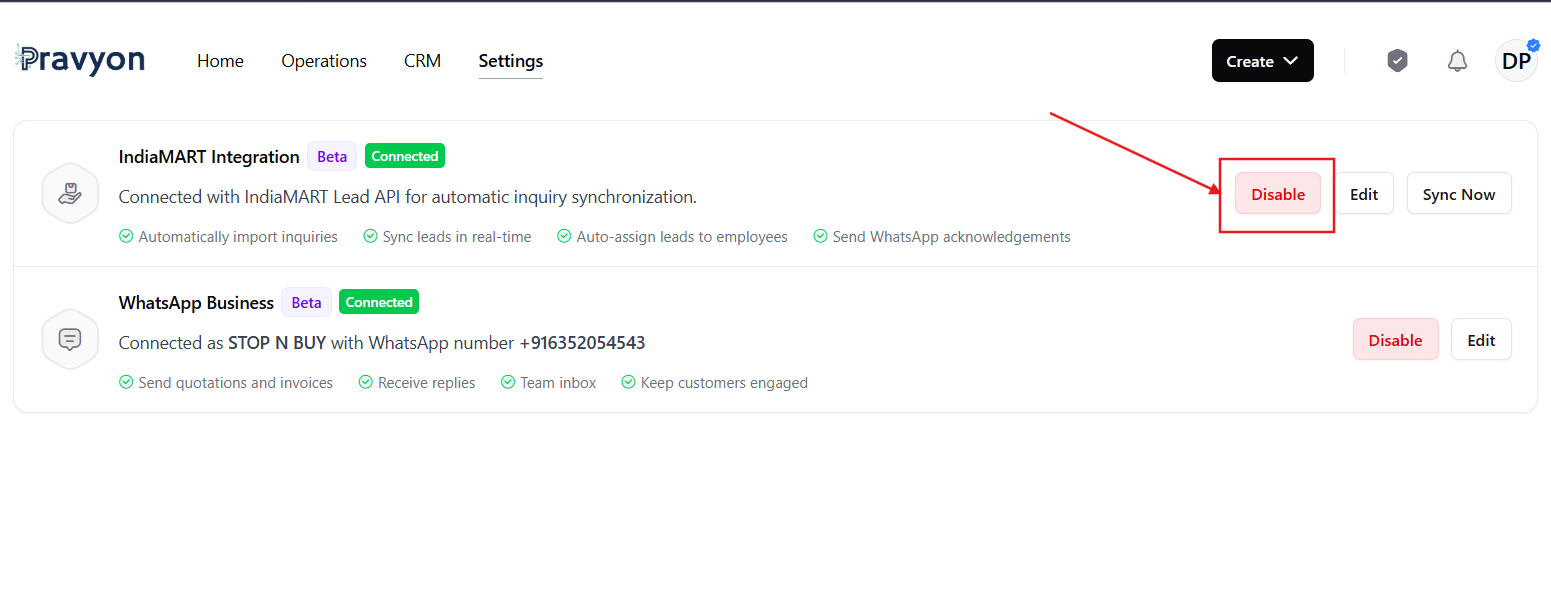
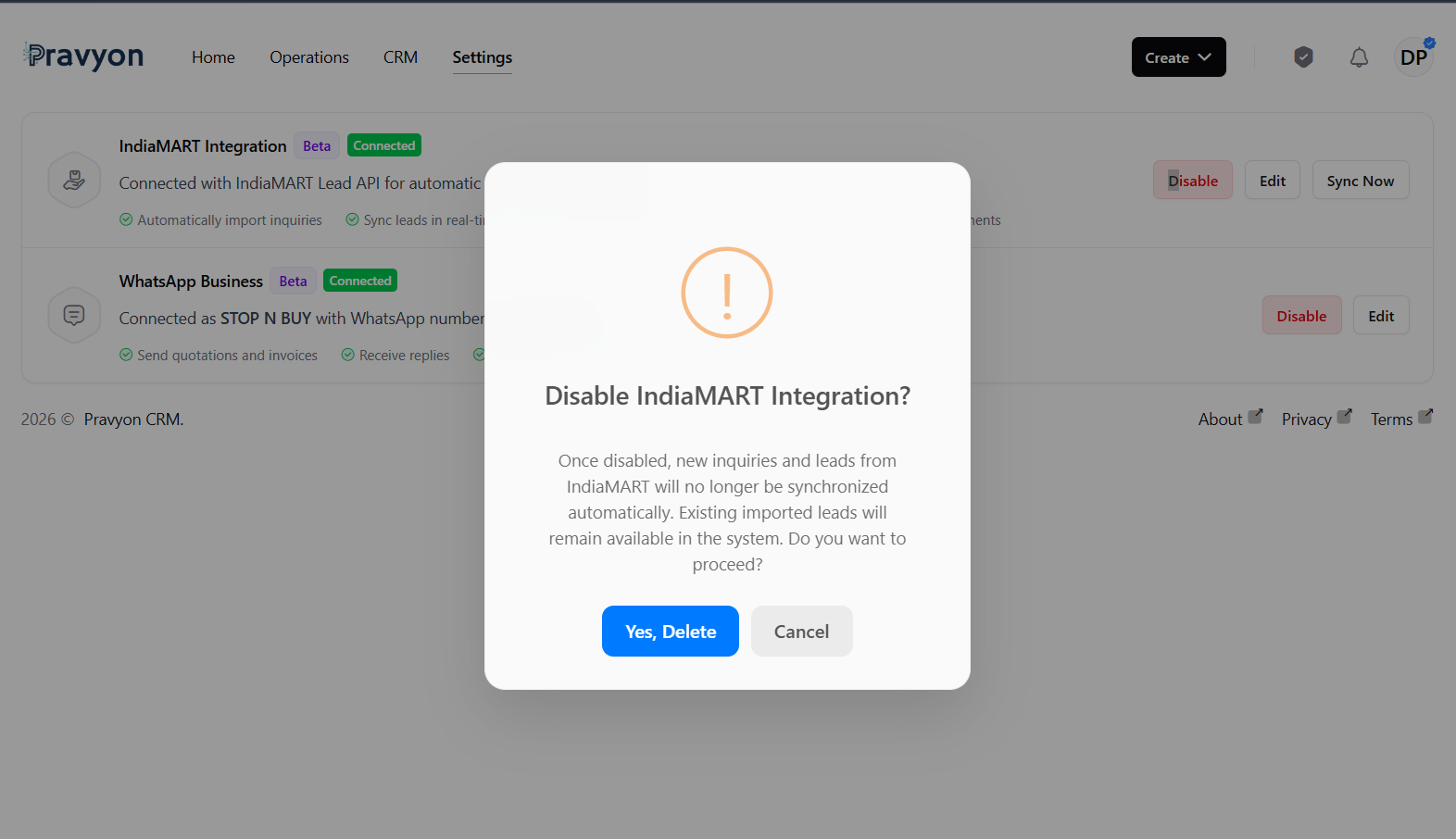
Disable Integration
Click on Disable button to stop synchronization from IndiaMART.
A confirmation popup will appear before disabling the integration.
Successfully Imported Leads
Once synchronization is completed, new inquiries received from IndiaMART will automatically appear in the Leads module.
Each imported inquiry will create a lead record containing customer details such as:
- Customer Name
- Company Name
- Mobile Number
- Inquiry Source (IndiaMART)
- Assigned Employee
- Lead Status
- Date and Time Received

IndiaMART Inquiry Notes
Along with lead creation, Pravyon automatically stores the original IndiaMART inquiry as a note inside the lead.
To view the inquiry details:
- Open the Lead.
- Click on the three dots (⋮) action menu.
- Select View Notes.
- The original IndiaMART inquiry will be available in the notes section.
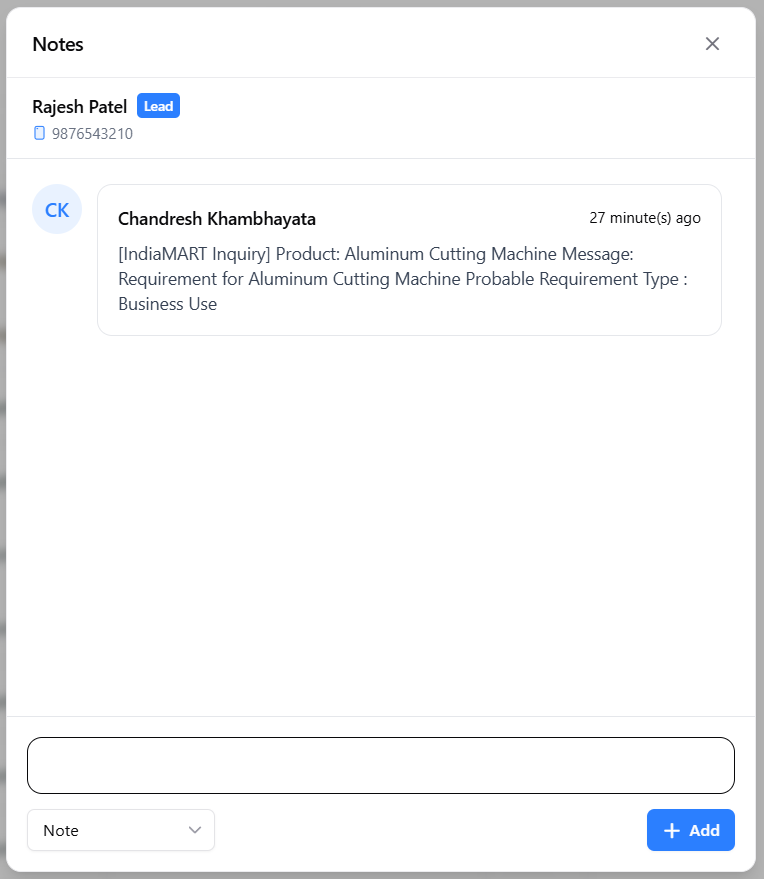
- Product Name
- Customer Message
- Requirement Type
- Inquiry Source
- Date and Time of Inquiry
Sync Now
Click on Sync Now to manually fetch the latest inquiries from IndiaMART.
Lead Synchronization Delay
New IndiaMART inquiries may take up to 6 minutes to appear inside Pravyon CRM.
This delay is caused by a limitation in the IndiaMART Lead API. IndiaMART requires a waiting period of approximately 5 minutes before new inquiry data becomes available for retrieval.
If a newly received inquiry is not visible immediately, please wait a few minutes and then click Sync Now again.
Important Notes
- IndiaMART API key must be active and valid.
- WhatsApp Auto Reply requires WhatsApp Business integration.
- Imported inquiries will automatically create leads inside the Leads module.
- New inquiries can take up to 6 minutes to appear in Pravyon CRM.
- Running Sync Now repeatedly within a short time may not return new inquiries due to IndiaMART API limitations.
Related Documentation
Sales Inquiry Management
Learn how to capture, manage, track, and convert sales inquiries across Web and Mobile applications with offline synchronization.
WhatsApp Business Integration
Connect your WhatsApp Business account with Pravyon to send quotations, invoices, notifications, and customer updates directly from CRM.
Product Performance Analytics & Lead Product Association
Learn how to associate products with leads during creation and follow-ups, track customer interest, import products into quotations, and generate product-wise sales pipeline reports.
Leave Management
Learn how to apply leave, track leave requests, review leave details, and manage your leave history using the Leave module.