Lead Notes and User Tagging
Add notes, reminders, and tag employees in lead notes. Tagged employees will receive dashboard and WhatsApp notifications.
Lead Notes and Employee Tagging
Notes help your team maintain a complete history of communication and activities for each lead.
Every discussion, customer requirement, follow-up, reminder, and important update can be recorded in the Notes section.
Employee tagging allows team members to notify managers, supervisors, or other employees when their attention is required on a lead.
Notes Section
The Notes section is used to record all communication and activities related to a lead.
Instead of maintaining information in personal diaries, WhatsApp chats, or notebooks, all lead-related information can be stored inside Pravyon CRM.
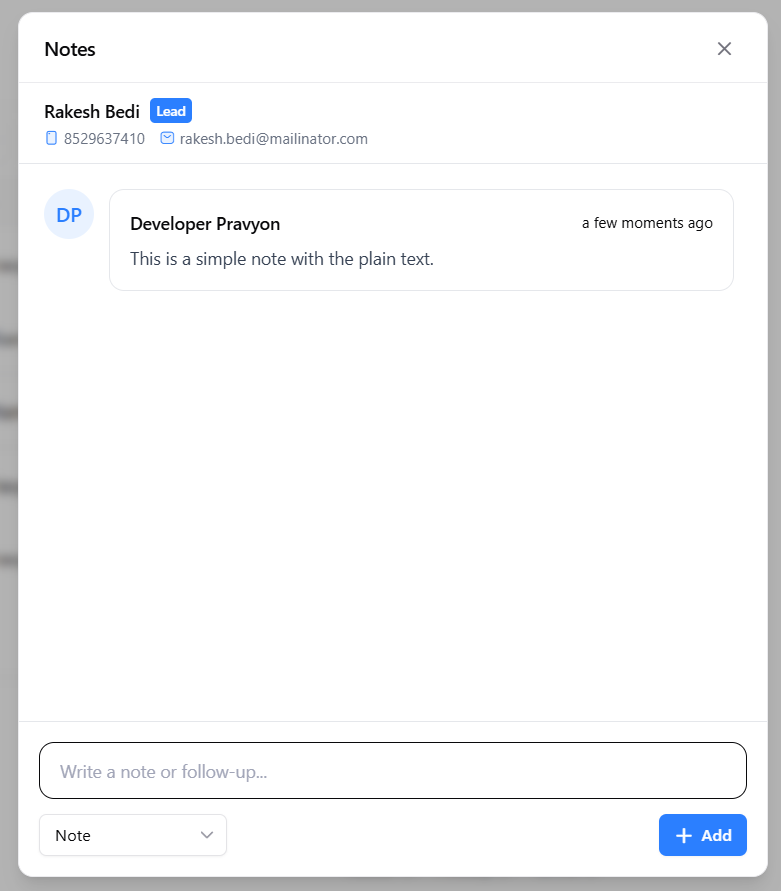
Common Uses of Notes
- Record customer discussions.
- Store customer requirements.
- Add follow-up reminders.
- Track sales progress.
- Share information with team members.
- Maintain a complete activity history.
Tag Employees in Notes
Sometimes you may need help from another employee, manager, or senior team member.
Instead of calling or sending a separate message, you can tag employees directly inside the note.
Type @ inside the note box to search for employees.
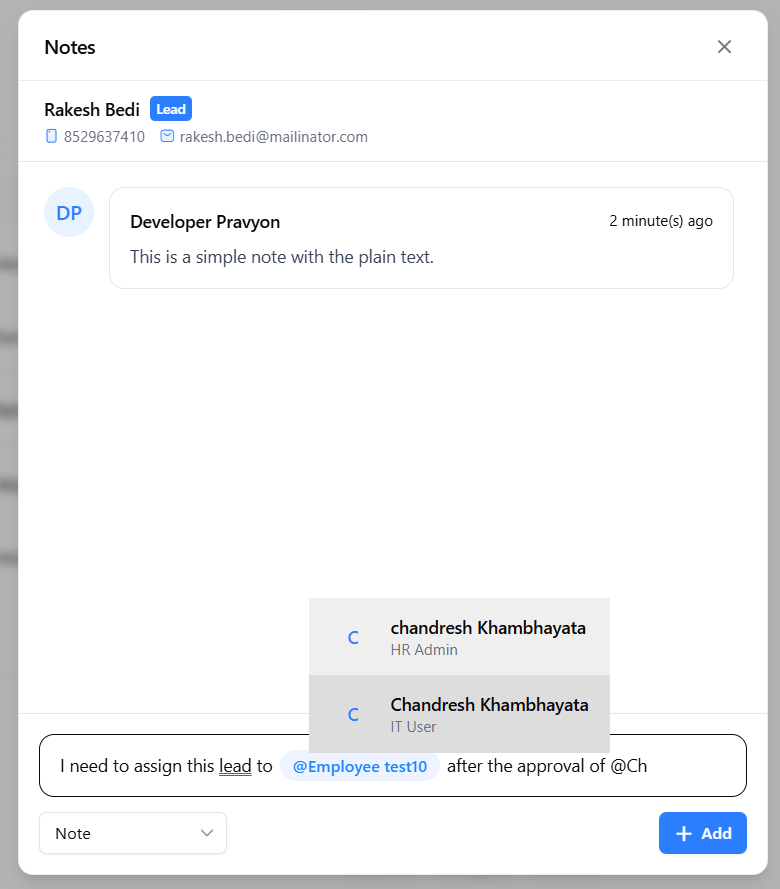
Select the required employee from the suggestion list.
Tagged Notes
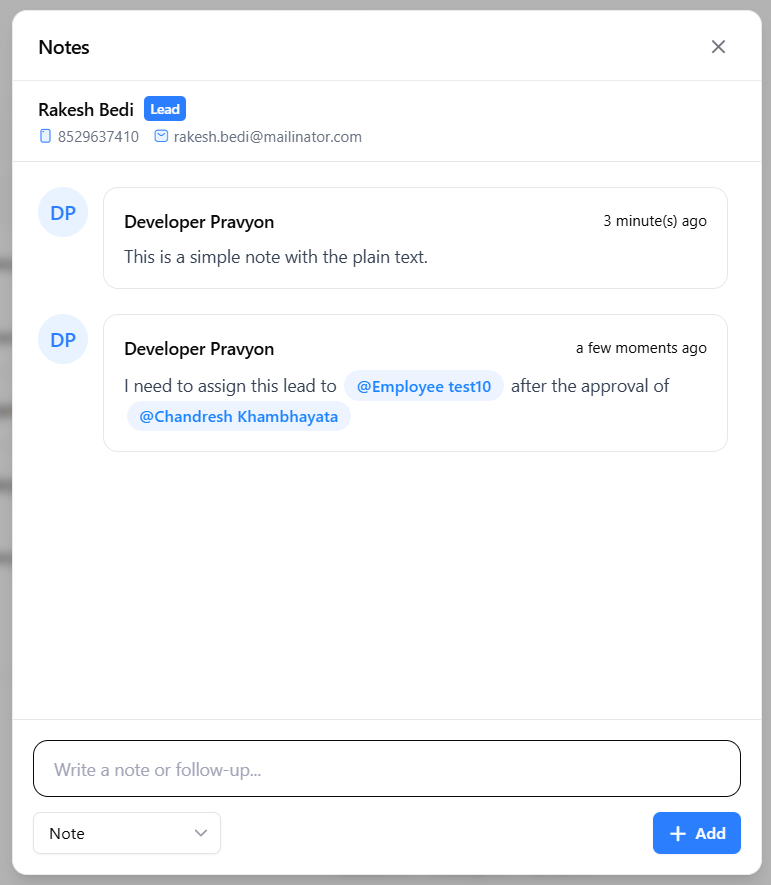
Once selected, the employee name will appear highlighted inside the note.
This helps everyone understand who needs to review or respond to the note.
Notifications for Tagged Employees
When an employee is tagged in a note, Pravyon automatically creates a notification.
This ensures that important information reaches the correct person without delay.
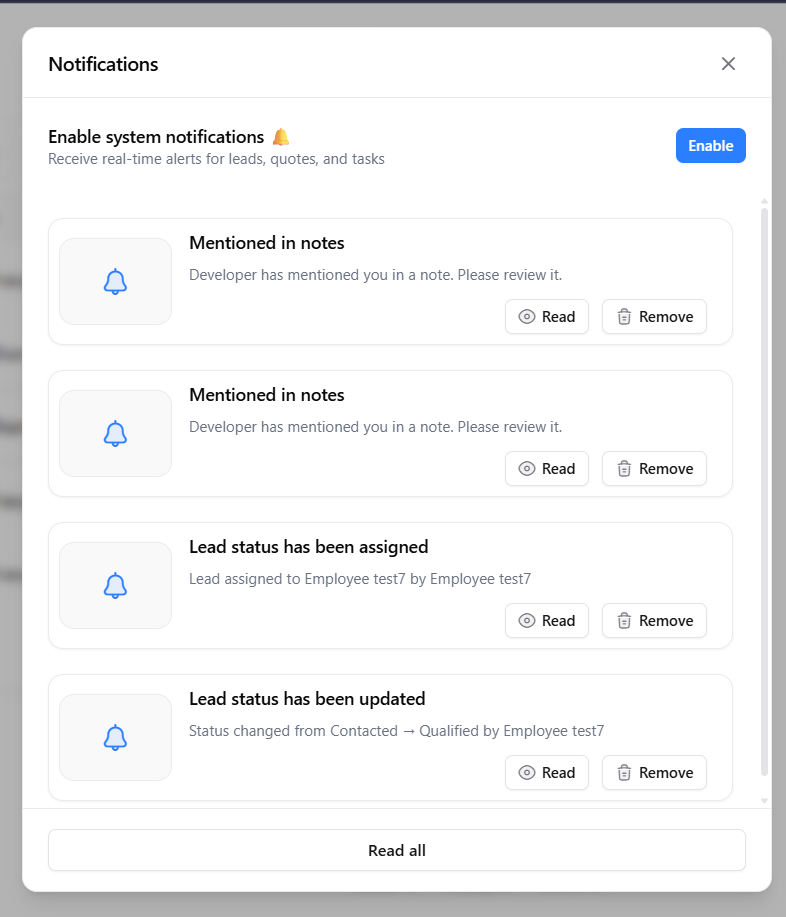
- Notification appears in the notification panel.
- User can directly open and read the note.
- Important requests are less likely to be missed.
- Managers can quickly review customer requirements.
- Teams can collaborate more efficiently.
WhatsApp Notifications
Tagged employees can also receive WhatsApp notifications on their registered mobile number.
This helps employees stay informed even when they are away from the CRM.
WhatsApp notifications are especially useful for managers and team leaders who need to respond quickly to important customer discussions.
WhatsApp notifications will only work if WhatsApp Business Integration is configured and active for your company.
Common Use Cases
- Ask a manager to review a customer requirement.
- Request pricing approval from a senior employee.
- Inform another employee about customer feedback.
- Escalate an important lead to management.
- Share technical requirements with the support team.
- Notify team members about urgent follow-ups.
Benefits
- ✅ Better internal communication.
- ✅ Complete lead history in one place.
- ✅ Easy follow-up tracking.
- ✅ Quickly inform managers and senior employees.
- ✅ Important updates are not missed.
- ✅ Faster team coordination.
- ✅ Better customer service.
- ✅ Reduced dependency on external chats and messages.
Related Documentation
Sales Inquiry Management
Learn how to capture, manage, track, and convert sales inquiries across Web and Mobile applications with offline synchronization.
Product Performance Analytics & Lead Product Association
Learn how to associate products with leads during creation and follow-ups, track customer interest, import products into quotations, and generate product-wise sales pipeline reports.
Manage Leads
View and manage all your leads in one place. You can filter leads, update status, assign to employee, send quotation, and track notes and follow-ups.
Leave Management
Learn how to apply leave, track leave requests, review leave details, and manage your leave history using the Leave module.